1. Welcome and mindset
Set the tone: fast, imperfect, tangible. One interaction, one task, no need to solve the world.
Break UX rules and reimagine how we engage with digital media through bodily, physical interaction. In this workshop, you will explore your potential and create something inspiringly un-useless.
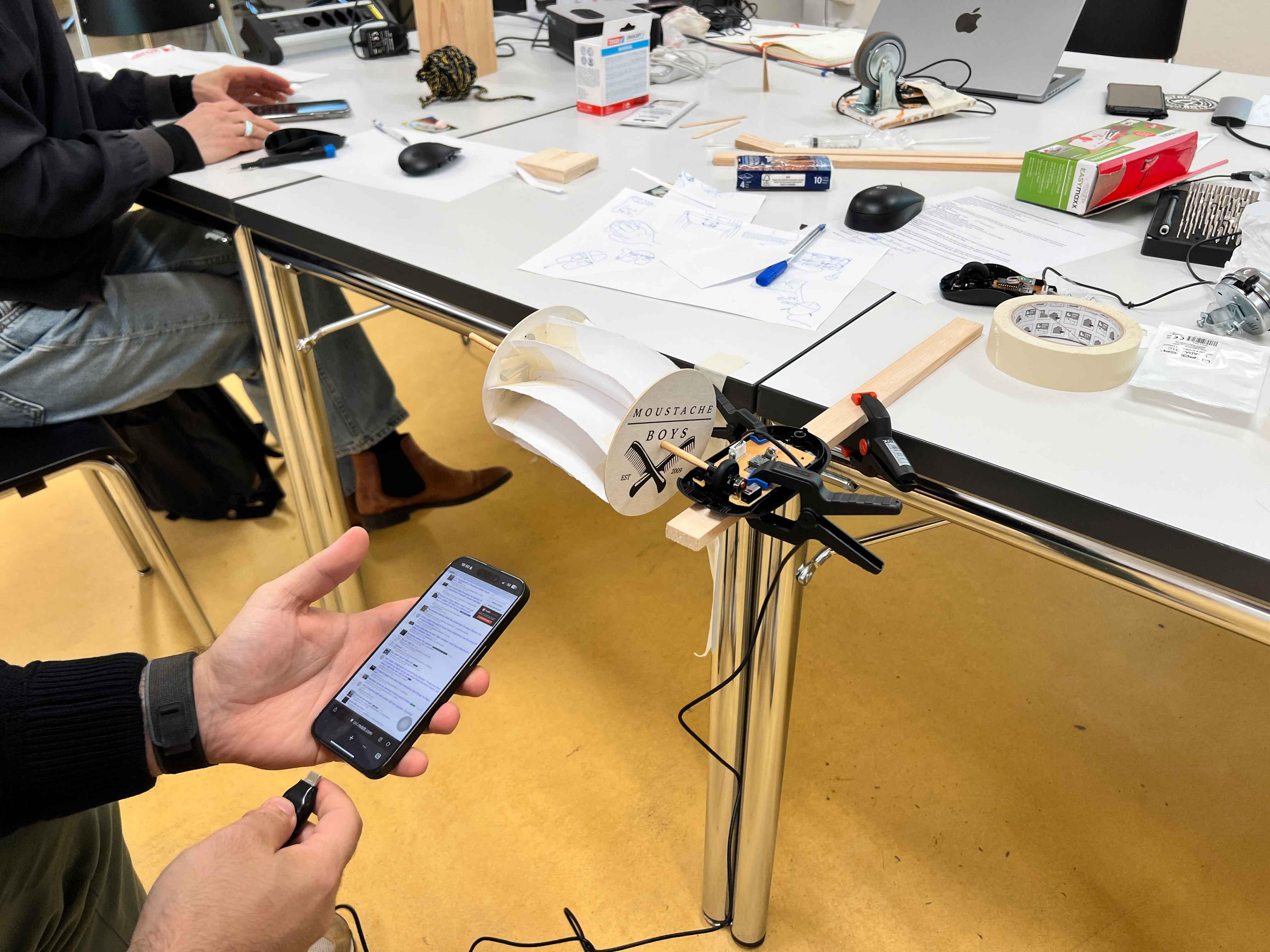
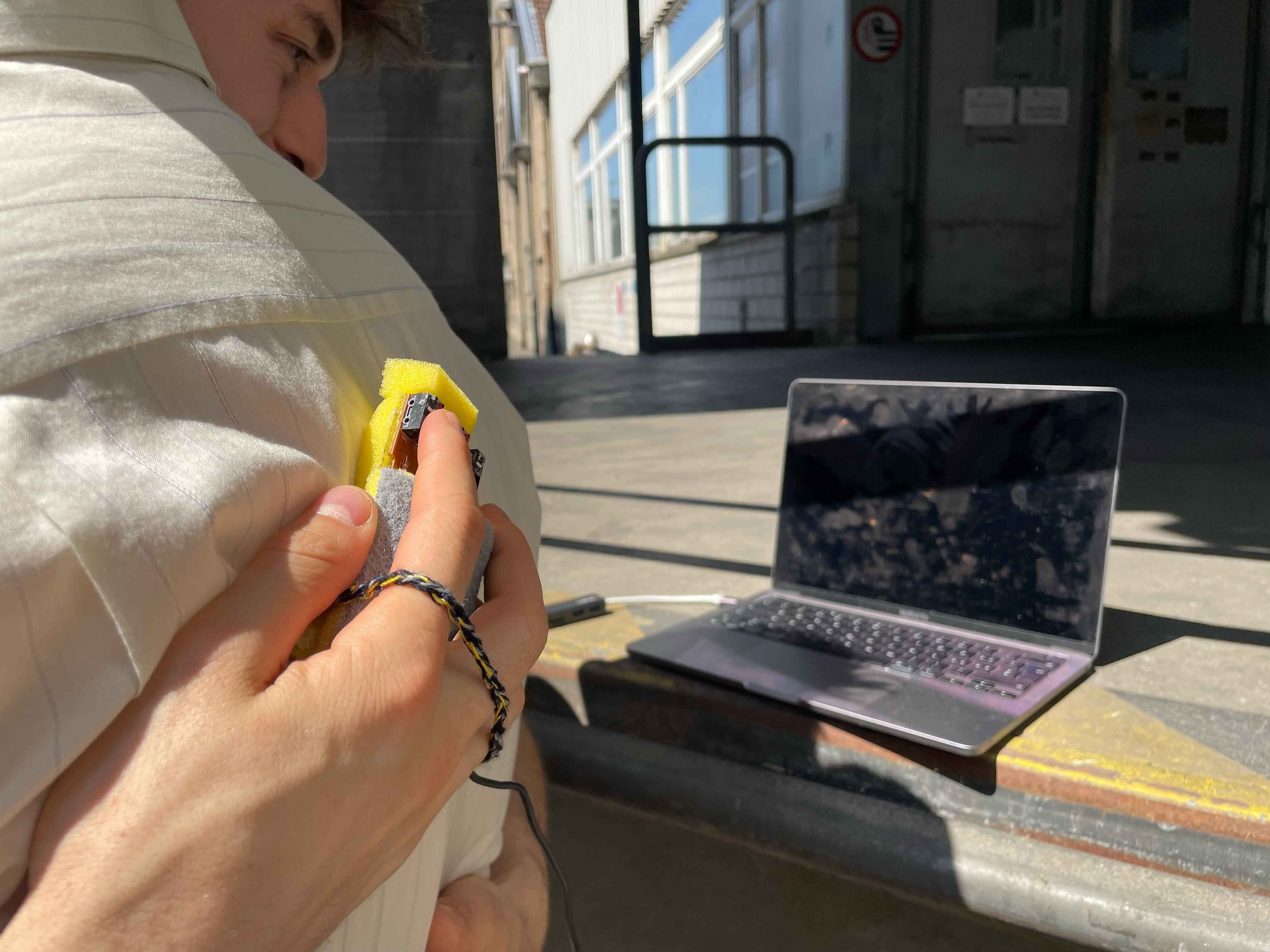
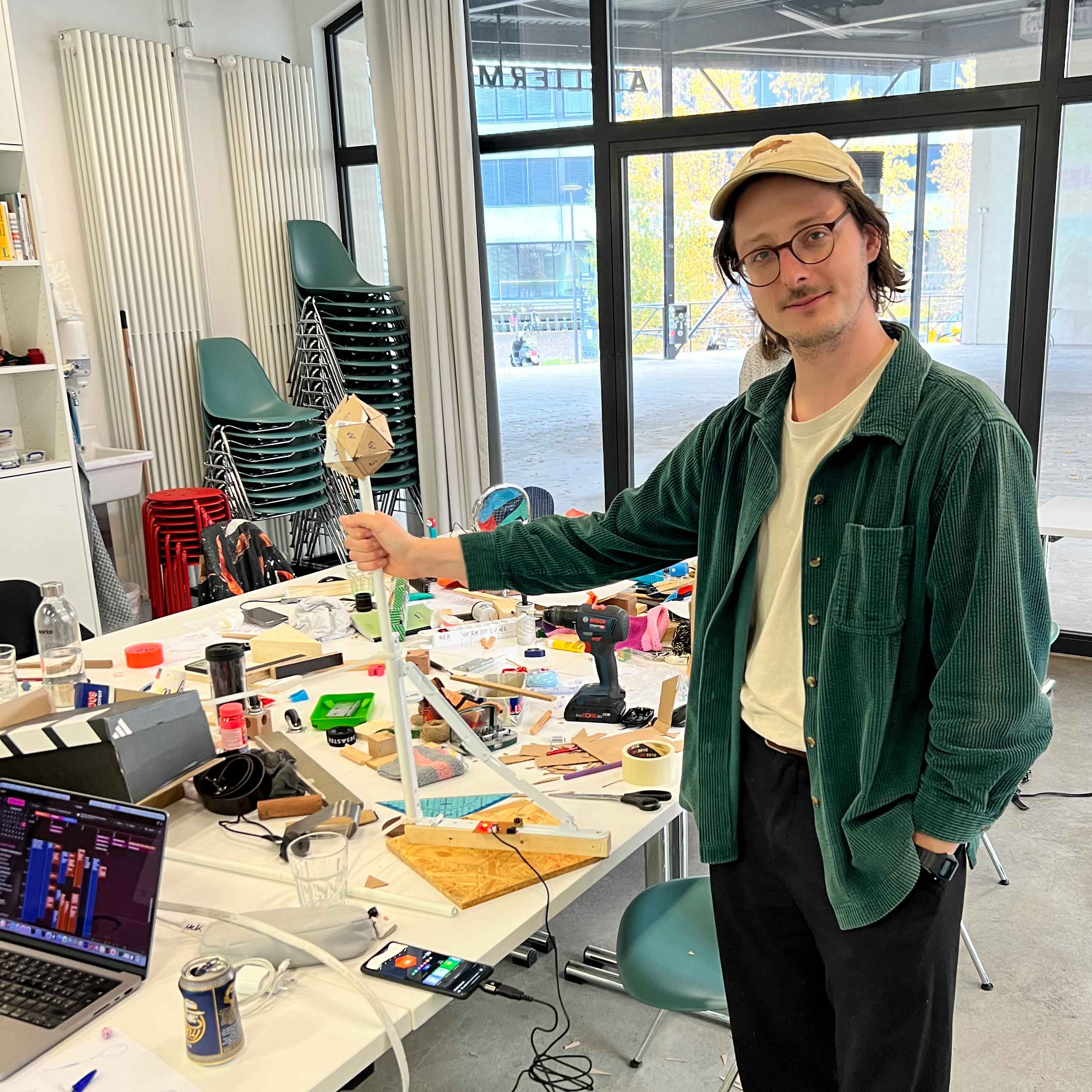
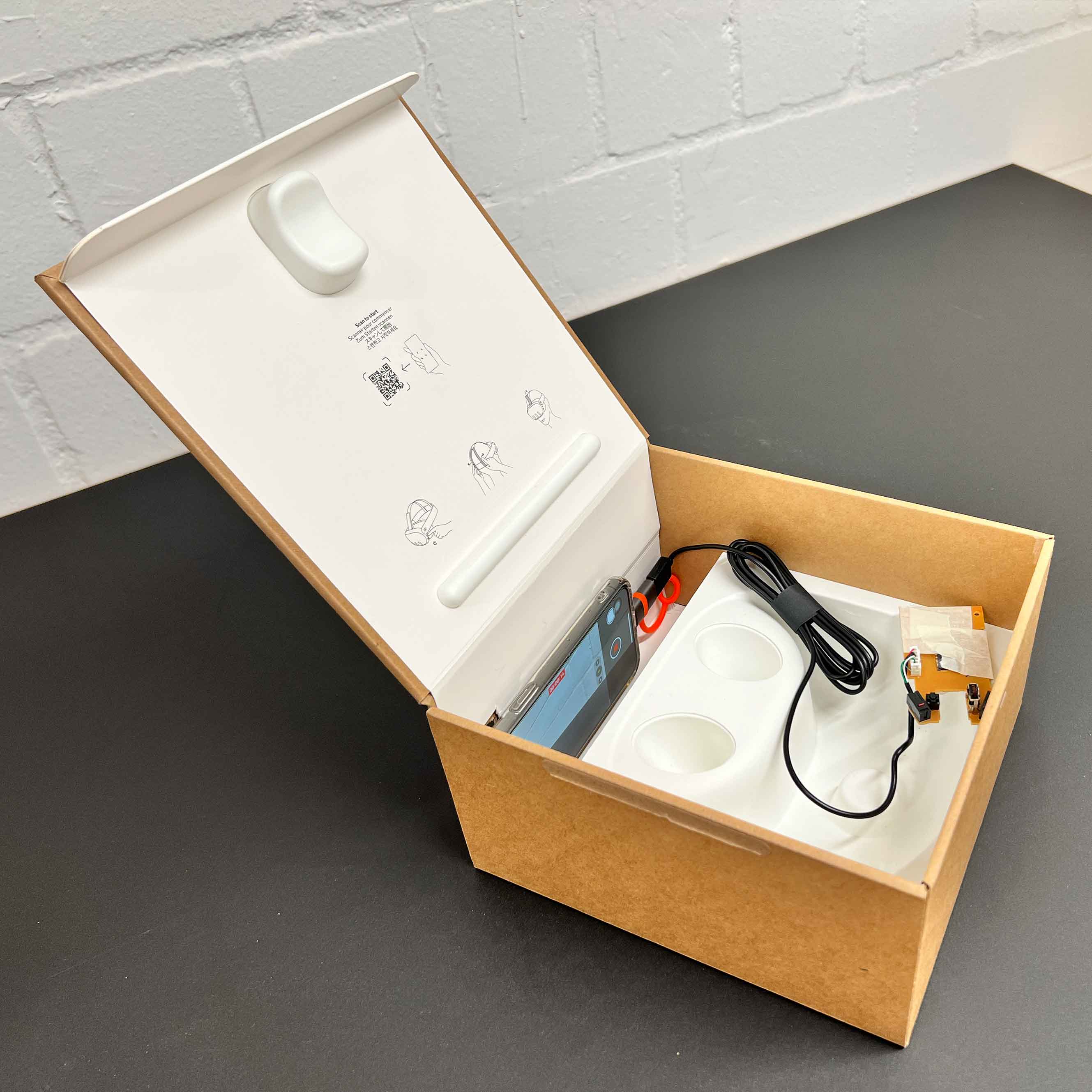
Un-useless is a hands on workshop method for designing unconventional, embodied interactions with digital media. Instead of polishing interfaces or following standard UX patterns, participants prototype one interaction fast, using simple materials, Chindogu, bricolage and a computer mouse as the central constraint.
The workshop responds to a design culture that often prioritises clean solutions and AI accelerated standard outputs. Here, the focus is on making, repurposing, and discovering the unexpected through the process itself.
Participants should not use apps, websites, or similar tools that they have written themselves to implement their interaction. The aim is to clearly present and solve an interaction. For many ideas, there are numerous websites or small tools on the internet that can be used to implement the interaction. e.g., Google Tools, OBS, Audio Player, Webcam Tools
Important for workshop leaders: In keeping with the spirit of Chindogu, breaking rules is also allowed in the workshop. If a participant knows exactly what they want to implement, they should be given the opportunity to do so. The goal is to move away from the conventional.
Participants spend one week noticing embodied interactions in daily life and bring that inspiration back for day 2. They can take the mouse home and play around with it.
Set the tone: fast, imperfect, tangible. One interaction, one task, no need to solve the world.
One minute drawing prompt to break the ice and start making immediately.
Introduce Chindogu, Bricolage, and Tinkering to explain the workshop logic and permission to be «almost useless».
Day 1: Crazy 8 with an object and a rolled topic. Day 2: two objects, 5 minutes, 3 ideas with rolled topic, then pass left and right.
Connect the mouse to a smartphone, explore control options, then open the mouse and learn its mechanics.
Prototype an embodied interaction with digital media using simple materials. Test early, rebuild often.
Each participant presents the interaction, records a short video, takes photos, and shares learnings in a closing round.
Chindogu are almost «useless» inventions that solve an everyday problem. They provide a solution that only appears useless at second glance. Their origins lie in 1990s Japan with Kenji Kawakami.
Bricolage, from the French for DIY, is the method of «this might still come in handy». It makes use of already existing materials and tools and reworks their meaning from project to project. In bricolage, no two people will create the same thing from the same materials.
In tinkering the focus is on the approach and on learning within the process. Tinkering is a valuable way of working that engages with a problem in a playful, exploratory and iterative manner. In tinkering, one constantly responds to given conditions. Ideas are tried out and adjustments are made continuously.
If you ran the workshop, you can submit outcomes here.
Need a hand with the workshop?
Book a one or two day workshop with me. For more details please contact me via email below.
Email me or write to unuseless.art@gmail.com